Integrations

70+ ERP, Ecommerce, WMS Platforms

Instantly connect to global platforms such as Shopify, NetSuite and Microsoft Business Central within minutes.
See all shipping integrations

Over 100 carriers

Connect to domestic, international and pallet couriers and print shipping labels, customs documentation and tracking within seconds.
See all carrier integrations

Shipping API

Integrate shipping directly into your platform with Shiptheory’s API. Building an integration? Become a Shiptheory API partner.
Explore our Shipping API
Customers
Scrub Daddy
Read how Shiptheory has helped Scrub Daddy save 4-5 days in manually assigning deliveries.
Watch now
Jimmy's Iced Coffee
Read to find out a little more about Jimmy's, and how Shiptheory helps them on their mission to fill up fridges around the world with high-quality iced coffee.
Watch now
PetShop.co.uk
The secret sauce is the combination of NetSuite and Shiptheory, to manage all areas of their business and seamlessly ship their orders. Learn how this combination has helped PetShop save £1000s every week.
Watch now
View All Customer Success Stories
Pricing
Partners
Blog
  • Ecommerce
  • Shiptheory

Integrated Labels: Allow to Print a Shipping Label on a Separate Sheet

With Shiptheory, you can print shipping labels along with picking lists, customer invoices, and more on a single sheet of paper. The integrated labels option allows you to build a custom page template that features your shipping label in a design of your choosing.

You can now select to have the courier shipping label print out onto a separate page from the rest of the integrated label template. If you choose to do so, the shipping label will print in the top-left corner of the new page.

You can activate the new functionality in just a few steps:

  1. Click on your username in the top right of the Shiptheory toolbar, select 'Advanced' and then 'Integrated Labels'.
  2. Click 'Add New Template'.
  3. Set up your integrated label template setting as you usually do, and then scroll down to the 'Print Courier Labels Separately?' drop-down menu. Here you can choose if you want your courier shipping label to be part of your integrated label template or print on a separate page.
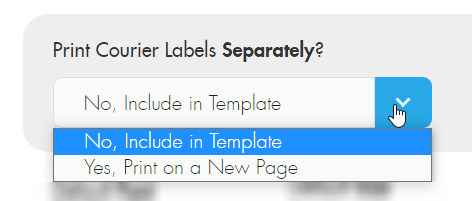
Important: If you do not want to include the shipping label on the main page, do not drag the shipping label element onto the designer, or you will receive the shipping label on both the separate page and the main page.

Examples of use cases

Typically, an integrated label with the shipping label on the main page would look something like that:
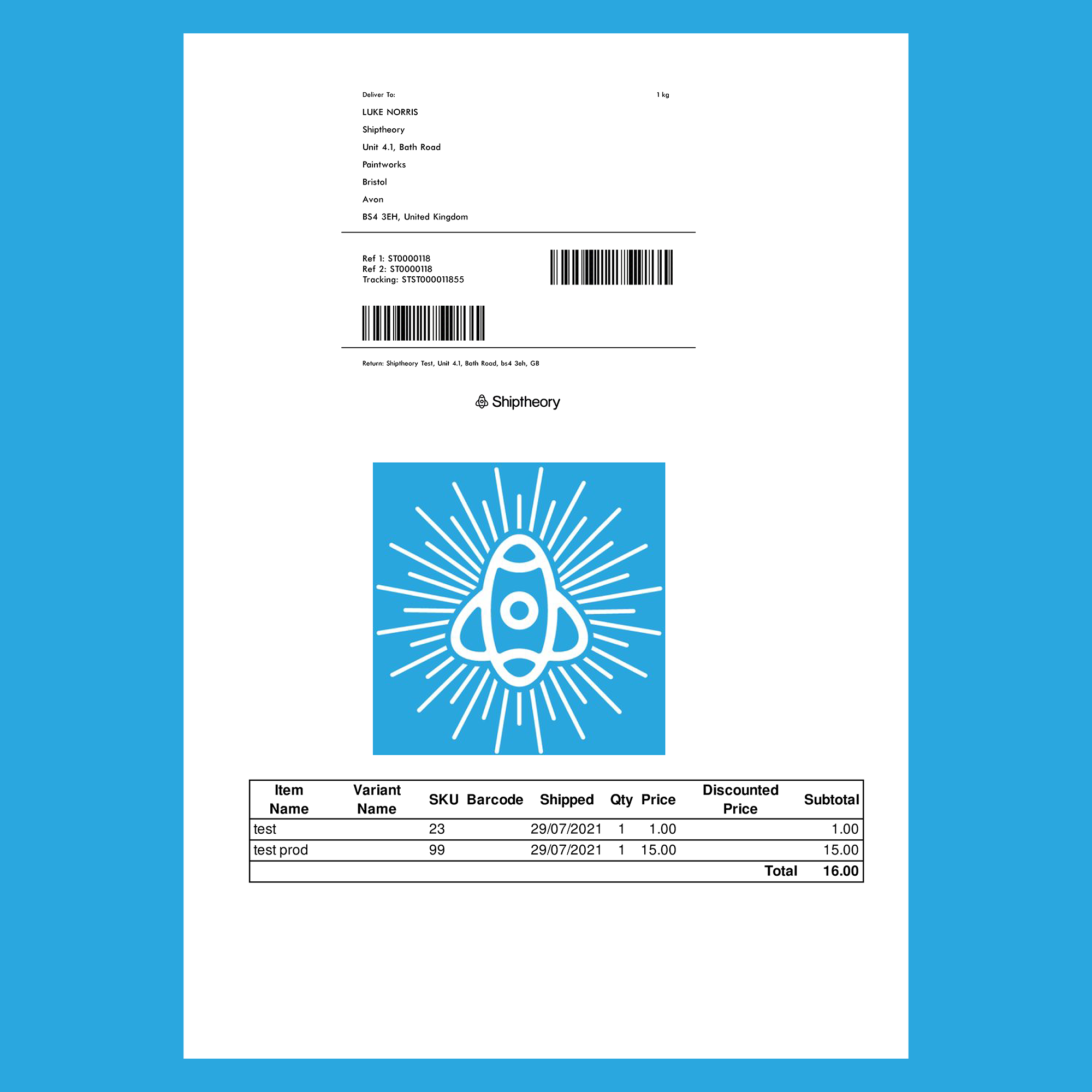
With our new integrated label functionality, you can choose to have a full paged packing sheet on the first page of your integrated label and your shipping label printed on a separate page. Having a picking list on a single piece of paper can be quite handy for your warehouse staff and help avoid packing mistakes.

In that case, your integrated label would look like that:
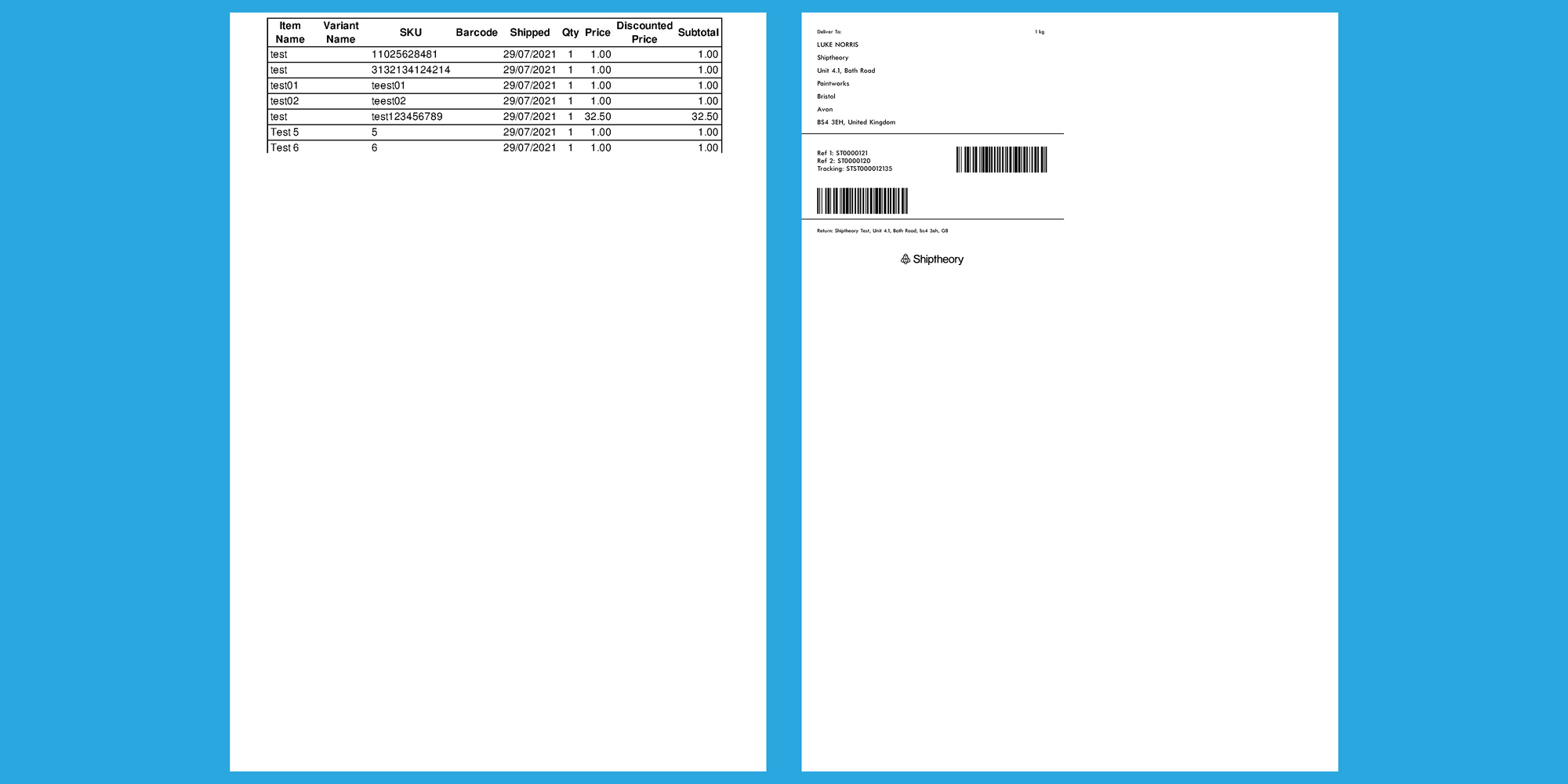
Another practical use case for the new integrated label functionality is producing a customised customer invoice that does not have the shipping label on it.

In that case, your integrated label will look like that:
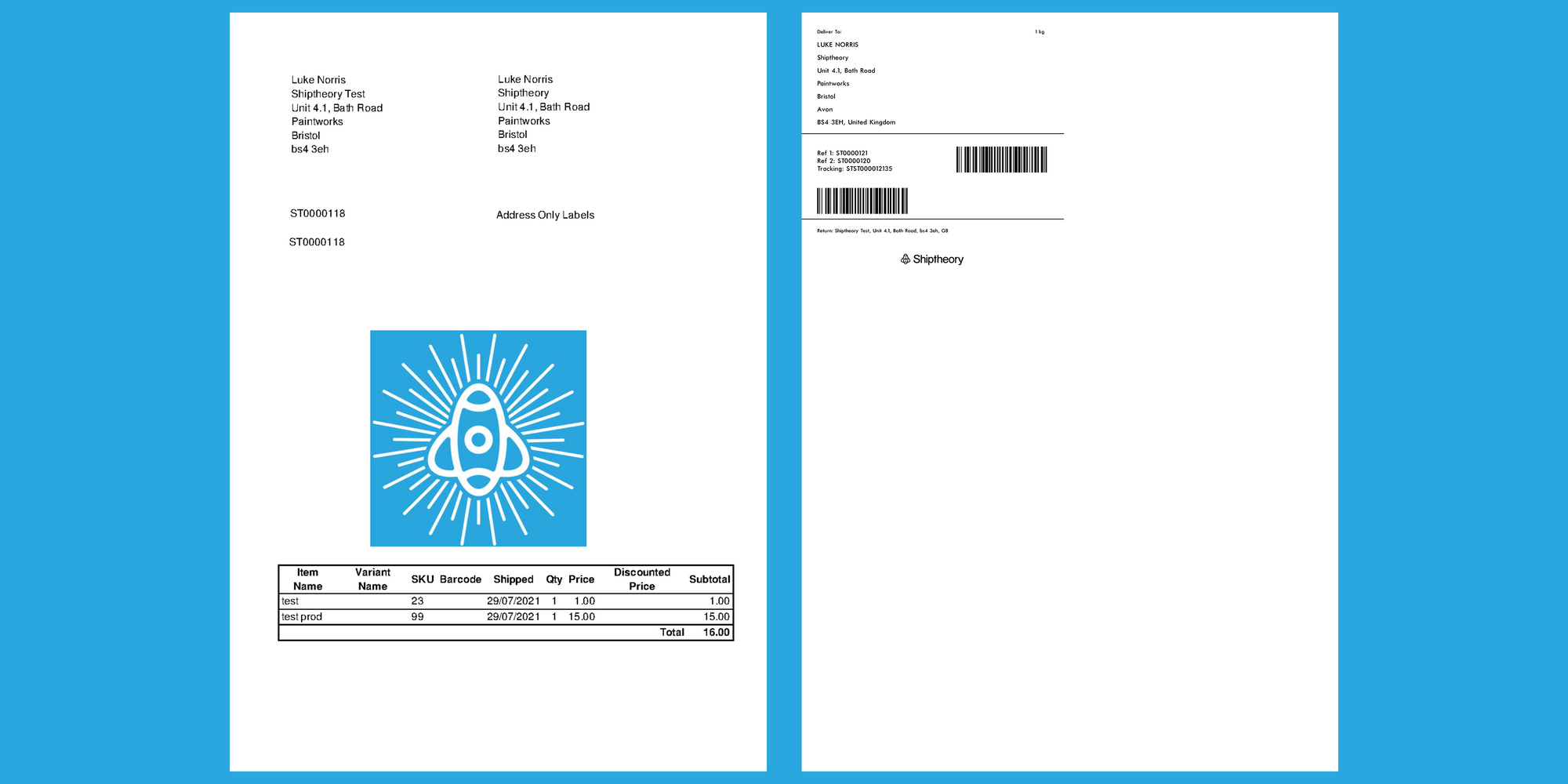

If you have any queries regarding the above new functionality, please do not hesitate to reach out to support. We are more than happy to give you a hand to get it up-and-running.

Otherwise, create a free Shiptheory account and start shipping smarter and faster today!

Get started today for free

Start your free trial
No credit card required

Other posts you may like...

A warehouse worker in a yellow shirt and high-visibility vest applies a shipping label to a white box at a desk, with a package tracking screen open on her computer.
  • Ecommerce
  • Shipping
  • Shiptheory

ShipStation vs Sendcloud vs Shiptheory: 2026 comparison

At 1,000 shipments a month on annual billing, ShipStation Standard costs £92, Sendcloud Growth costs £91 and Shiptheory Earth costs £39. All three…
by Guest Author
November 12, 2026
Two couriers in maroon uniforms checking a shipping label on a cardboard parcel, one holding a pen and clipboard.
  • Guides
  • Shipping

How to create a shipping label: a step-by-step guide

To create a shipping label, weigh and measure your package, pick a carrier and service, enter the sender and delivery addresses, pay for…
by Guest Author
November 11, 2026
personalised notes
  • Shiptheory

How to Keep Your Parcels Personal as Order Volumes Grow

How high-volume retailers can personalise fulfilment without slowing down Personalised notes can help an e-commerce business build lasting customer relationships. In the early…
by Guest Author
November 11, 2026